
How to Redeem a Promo Code in the App Store
Step-by-step instructions on how to redeem an Apple App Store promo code or offer code on iPhone, iPad, and Mac to download Bitsboard PRO or unlock features.
How to Redeem a Promo Code in the App Store
If you received a promotional code or special offer code for Bitsboard PRO or in-app features, you can redeem it directly through Apple's App Store on your iPhone, iPad, or Mac.
Once redeemed, the app or subscription is permanently linked to your Apple Account (Apple ID), meaning you can download or restore it on all of your compatible Apple devices at any time for free.
⚡ Method 1: Direct Redemption Link (Fastest)
If you are reading this on the iPhone, iPad, or Mac where you want to install Bitsboard:
- Tap or click this official Apple link: https://apps.apple.com/redeem
- The App Store redemption screen will open automatically.
- Enter or paste your promo code and tap Redeem.
- The app will immediately begin downloading to your device!
📱 Method 2: On iPhone or iPad (Step-by-Step)
Follow these steps to redeem your promo code manually in the iOS App Store:
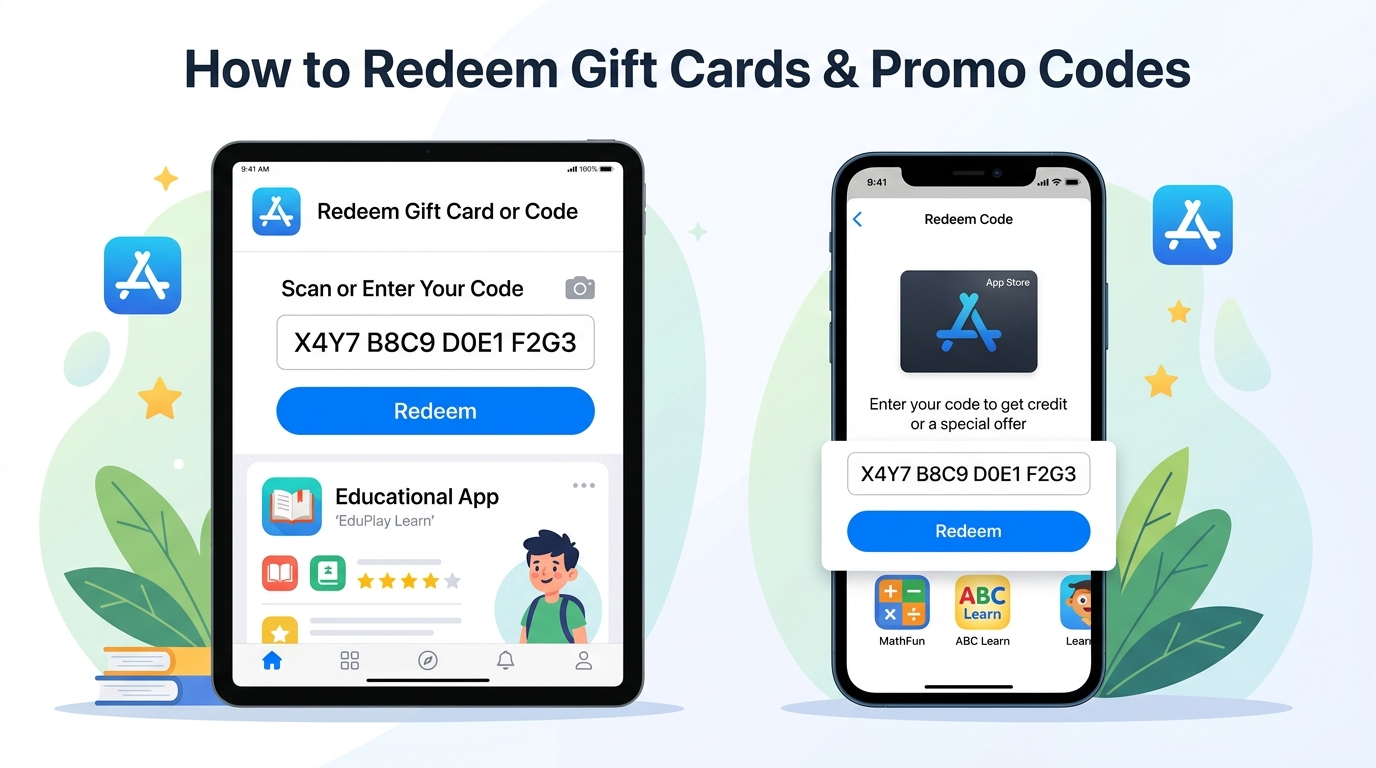
Steps:
- Open the App Store:
- Locate and tap the blue App Store icon on your home screen.
- Access Your Account:
- Tap your Profile Icon (your photo or initials) in the top-right corner of the screen.
- Select Redeem:
- Tap "Redeem Gift Card or Code".
- If prompted, authenticate with Face ID, Touch ID, or your Apple Account password.
- Enter Your Code:
- Tap "Enter Code Manually" at the bottom of the screen.
- Type or paste your unique alphanumeric promo code.
- Tap Redeem:
- Tap the blue Redeem button in the top-right corner.
- Done!:
- A confirmation message will appear, and Bitsboard PRO will automatically begin installing on your device.
[!TIP] Make sure you are signed into the App Store with the primary Apple Account (Apple ID) you want the app associated with.
💻 Method 3: On a Mac (macOS)
If you are using a Mac:
- Open the App Store app on your Mac.
- Click your Name / Profile Icon in the bottom-left corner of the sidebar.
- Click "Redeem Gift Card" in the top-right corner of the window.
- Enter your promo code manually and click Redeem.
🔁 How to Re-Download on Other Devices (Family & Multiple Devices)
Once a promo code is redeemed:
- Open the App Store on any other iPad or iPhone logged into the same Apple Account.
- Tap your Profile Icon > Purchased (or Apps > My Purchases).
- Search for Bitsboard PRO and tap the Cloud Download icon (☁️) to install it at no charge.
- If you have Apple Family Sharing enabled, members of your family group can also download the app from their Purchased tab.
❓ Frequently Asked Questions & Troubleshooting
"The code has already been redeemed"
Promo codes can only be used once. If you already redeemed it previously, you don't need to enter the code again—simply open the App Store, tap your profile icon, go to Purchased, and download Bitsboard PRO directly.
"Code is expired"
Apple promo codes generated by developers have an expiration window (typically 28 days from creation). If your code has expired before you had a chance to use it, please contact our support team with your details and we will issue you a fresh code.
"Code must be redeemed in a different storefront"
Apple developer promo codes may occasionally be restricted to specific regional App Stores (e.g., US App Store). If your Apple Account region differs from the code's designated territory, the App Store will notify you. Contact support if you need a code for your specific country.
Related Guides & Resources
Start Learning with Bitsboard
Unlock over 30 interactive mini-games, thousands of pre-made learning boards, and the power to fully customize your own lessons. Perfect for toddlers, students, educators, and speech therapists!
Download on the
App Store