
How to Copy or Combine Entire Boards?
To copy or combine entire boards, first go to Settings > Boards and press on the "+" button to add a new board. From the dropdown menu, select "Copy or Combine"
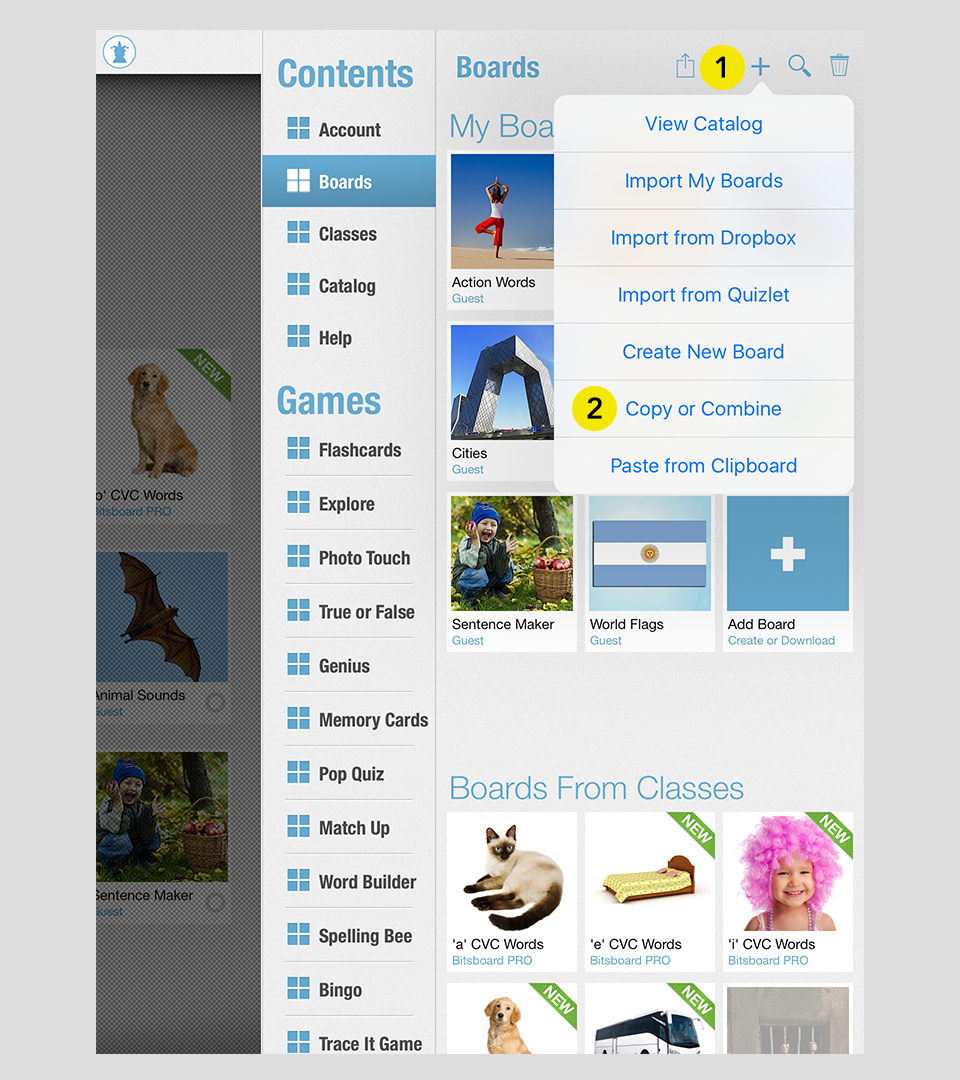
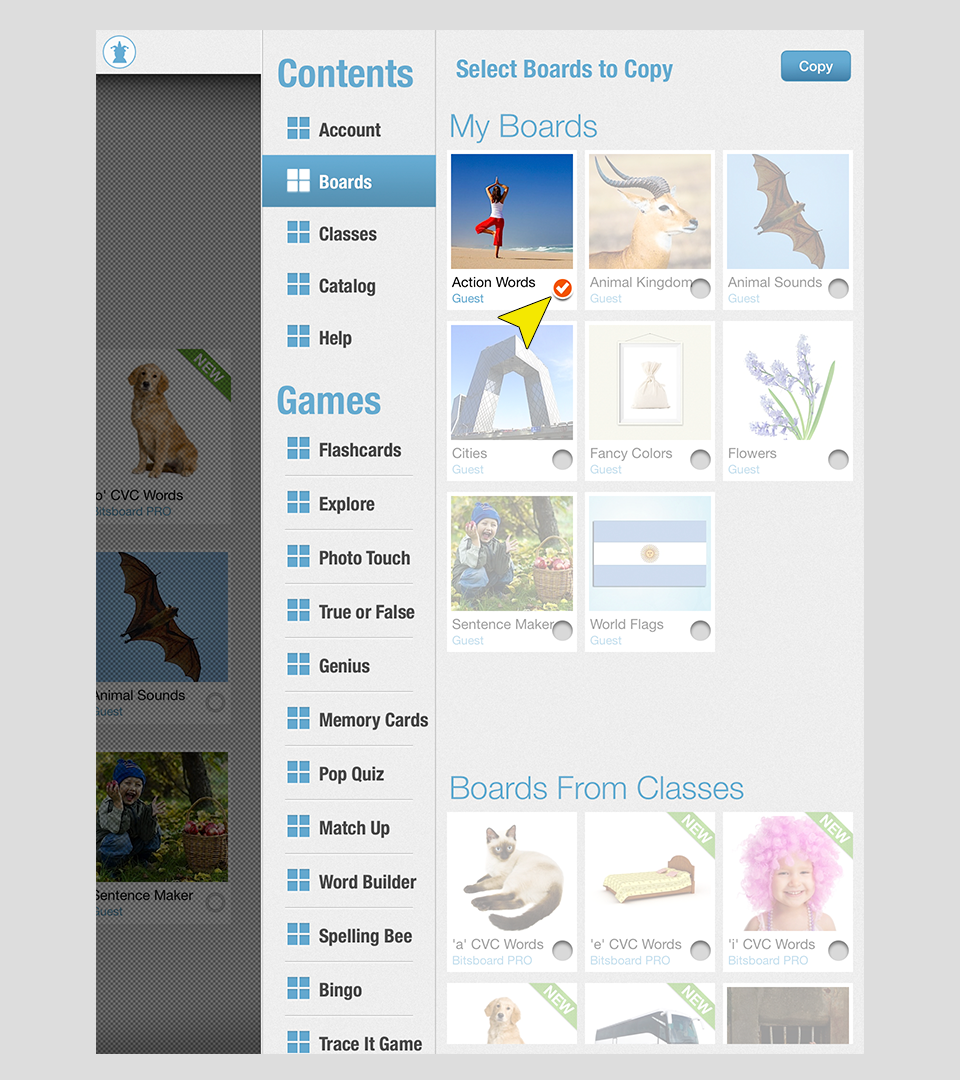
Next select the boards you would like to copy or combine. Voila. You are all done. You can copy a single board or combine and merge multiple boards into a new board by using "Copy or "Combine."
Important Disclaimer & Boundaries:
Bitsboard provides educational activities and tracking tools for parents, teachers, and speech therapists. It is not a medical diagnostic or clinical treatment tool, and should be used to supplement, not replace, professional evaluation and therapy.
Governing Law: California, USA. For legal inquiries, please contact support@bitsboard.com.